
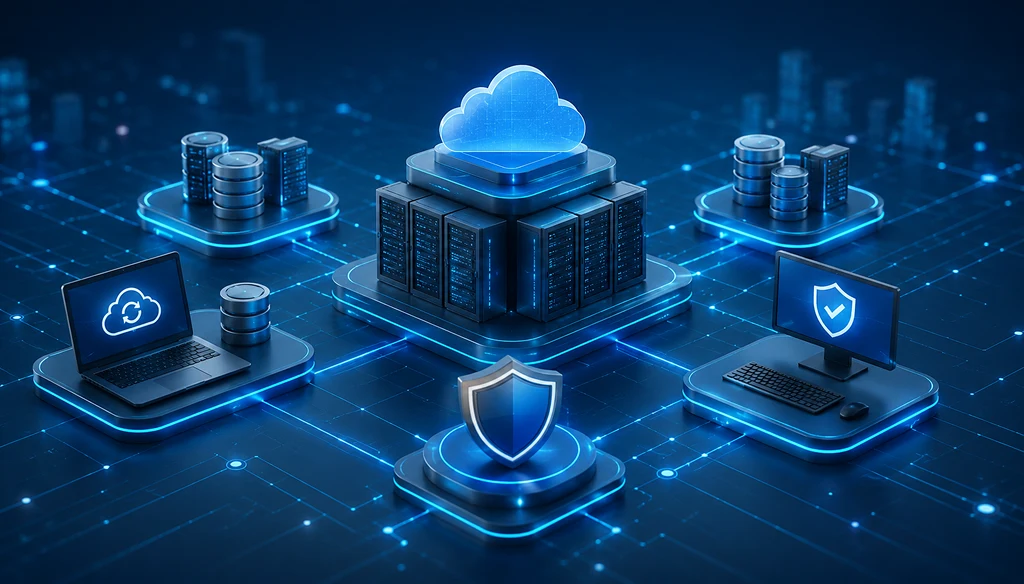
Every organization depends on uninterrupted access to applications and data. A hardware failure, ransomware attack, power outage, or natural disaster can interrupt business operations and result in financial loss, customer dissatisfaction, and compliance challenges. This is why disaster recovery and business continuity have become key priorities for IT leaders.
Hyperconverged Infrastructure (HCI) offers by Godata Global is practical approach by combining compute, storage, networking, and virtualization into a single platform. With centralized management and built-in data protection features, HCI helps IT teams recover workloads faster while keeping business operations running. This guide explains how HCI supports disaster recovery, strengthens business continuity, and why many organizations are adopting this architecture.
What is Hyperconverged Infrastructure (HCI)?
Hyperconverged Infrastructure (HCI) is an IT architecture that brings together core infrastructure components into one software-defined platform. Instead of managing separate storage arrays, servers, and networking devices, administrators can manage the entire environment from a single interface.
This architecture simplifies infrastructure management while supporting business growth and application availability.
Core Components of HCI
Compute
Provides the processing power required to run virtual machines and business applications.
Storage
Stores business-critical data with built-in redundancy and replication features.
Networking
Connects workloads and users across the infrastructure while supporting communication between applications.
Virtualization
Allows multiple virtual machines to run on shared hardware, making workload management more flexible.
Centralized Management
A single management console helps administrators monitor, manage, and maintain the complete infrastructure from one location.
Why Disaster Recovery & Business Continuity Matter
Unexpected disruptions can happen at any time. Hardware failures, cyberattacks, accidental deletion, software issues, or environmental events may interrupt business operations.
Disaster recovery focuses on restoring IT systems and data after an incident, while business continuity covers the broader plan for keeping business services available during and after disruptions.
A well-planned strategy helps organizations:
- Reduce downtime
- Protect valuable business data
- Support regulatory compliance
- Maintain customer confidence
- Continue critical business operations
How HCI Improves Disaster Recovery
Hyperconverged Infrastructure provides several capabilities that strengthen disaster recovery planning.
Faster Backup & Recovery
HCI platforms commonly support snapshot technology and automated replication. These features allow organizations to create frequent recovery points and restore virtual machines within a shorter period compared to many traditional environments.
Lower Recovery Time (RTO)
Recovery Time Objective (RTO) measures how quickly systems must be restored after an outage. HCI helps shorten recovery times through automated failover and rapid virtual machine restoration, helping business applications return to service sooner.
Better Recovery Point Objectives (RPO)
Recovery Point Objective (RPO) defines how much data loss is acceptable after a disruption. Continuous replication and scheduled snapshots help organizations maintain more recent copies of business data, reducing the gap between backup points.
Built-in Data Protection
Many HCI solutions include data replication, fault tolerance, and storage redundancy. These capabilities help protect workloads if a hardware component or storage device becomes unavailable.
Simplified Disaster Recovery Management
Managing separate backup, storage, and compute platforms often requires multiple tools. HCI brings these components together through centralized management, making recovery planning, monitoring, and administration more straightforward.
Organizations looking to modernize their infrastructure can also explore Hyperconverged Infrastructure (HCI) solutions from Godata Global to understand how a unified platform supports disaster recovery planning.
HCI Benefits for Business Continuity
Beyond disaster recovery, HCI contributes to long-term business continuity by supporting stable and reliable IT operations.
Some key benefits include:
- High availability for business-critical applications
- Faster workload recovery after unexpected incidents
- Simple infrastructure expansion as business requirements grow
- Built-in data replication across infrastructure nodes
- Support for hybrid cloud deployment models
- Reduced infrastructure complexity for IT administrators
- Centralized monitoring and management
- Better application availability for remote and branch locations
These capabilities help organizations maintain business operations while preparing for future growth.
HCI vs Traditional Disaster Recovery Infrastructure
|
Feature
|
Traditional Infrastructure
|
HCI
|
|---|---|---|
|
Complex
|
Complex
|
Simplified
|
|
Scalability |
Limited
|
Easy
|
|
Backup
|
Separate Systems
|
Integrated
|
|
Management
|
Multiple Tools
|
Centralized
|
|
Recovery Time
|
LongerLarge, unpredictable workloads
|
Faster
|
|
Operational Cost
|
Higher
|
Lower
|
Best Practices for Implementing HCI for Disaster Recovery
Assess Business Risks
Identify critical applications, business processes, and potential risks that could interrupt operations.
Define RTO & RPO
Set realistic Recovery Time Objectives and Recovery Point Objectives based on business priorities and compliance requirements.
Enable Automated Replication
Configure automated replication between production and recovery environments to keep backup data current.
Test Recovery Plans Regularly
Recovery plans should be tested on a scheduled basis to verify that applications, virtual machines, and backup copies can be restored successfully.
Monitor Infrastructure Continuously
Track infrastructure health, storage capacity, and system alerts to identify issues before they affect business operations.
Frequently Asked Questions
1. What is HCI in disaster recovery?
HCI is a software-defined infrastructure platform that combines compute, storage, networking, and virtualization into one system. It supports faster backup, replication, and workload recovery during unexpected outages.
2. How does HCI improve business continuity?
HCI supports business continuity by providing high availability, centralized management, automated replication, and rapid recovery for business-critical applications.
3. Can HCI reduce downtime?
Yes. Automated failover, virtual machine recovery, and integrated backup capabilities help restore workloads more quickly after an incident.
4. Is HCI suitable for hybrid cloud environments?
Yes. Many HCI platforms integrate with hybrid cloud environments, allowing organizations to replicate workloads between on-premises infrastructure and cloud resources for additional recovery options.
Conclusion
Business interruptions can affect every part of an organization, making disaster recovery and business continuity essential components of IT planning. Hyperconverged Infrastructure provides a unified platform that combines infrastructure management, data protection, and workload recovery into a single architecture.
With features such as automated replication, snapshot technology, centralized administration, and high availability, HCI helps organizations build a stronger recovery strategy while supporting continuous business operations. As infrastructure requirements continue to grow, adopting HCI can provide a solid foundation for protecting applications, data, and business services over the long term.